At the moment, Sitecore Search does not provide an import/export option to migrate configuration between environments. The Sitecore team has confirmed that this capability is planned for an upcoming release, but until it becomes available, teams must manually track configuration updates made in lower environments and replicate them during deployments.
Most frequent updates happen within document extractors, and since they contain the bulk of the custom logic, it’s best to copy the updated extractor code into source control—even though it doesn’t run as part of the build—so you always have a reliable, versioned history of what changed.
If applicable, consider tracking related details like API endpoints, Sitemap URLs, and GraphQL queries. Keeping these documented ensures smoother migrations and fewer surprises during deployments.
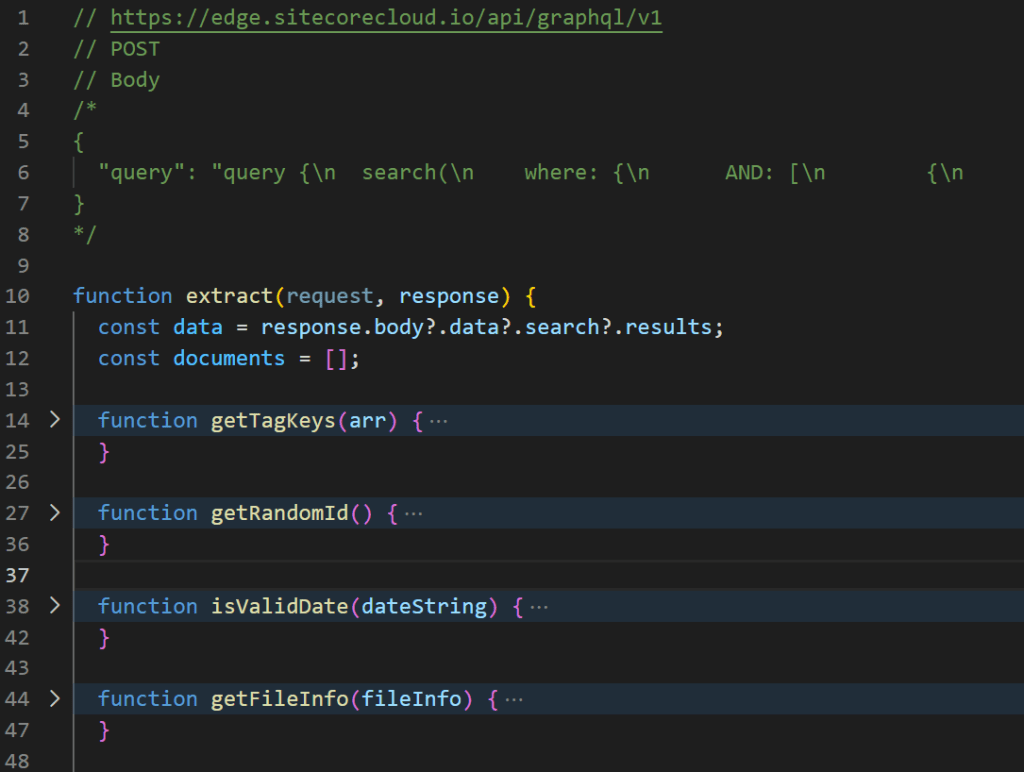
Other configuration updates, such as attributes, sources, and widgets, can be managed through detailed release notes for now, but the lack of automated configuration migration continues to be a limitation until Sitecore rolls out the official feature.
 Gopi's Blog
I had the same issue, so I created powershell scripts to pull setup from Sitecore Search and store on disk – and even push it (if you dare doing that).
I spoke about it at SugCon, you can see more at https://balle.dev/posts/search-automation-sugcon-2024/
LikeLiked by 1 person
Thank you—I went through the presentation, and it was excellent. Using PowerShell scripts is a great idea. I’ll give it a try, pull in the changes, and version-control them.
LikeLike