Sitecore Search validates every field against its expected data type. When a value is not in a supported format, the entire document is excluded from indexing.
As per the documentation, the Timestamp data type accepts date and time in any of the following formats:
yyyy-MM-dd HH:mm:ss['Z']- Example: 2025-11-25 08:45:30Z
yyyy-MM-dd'T'HH:mm:ss['Z']- Example: 2025-11-25T08:45:30Z
yyyy-MM-dd'T'HH:mm:ss.SSSSSSZ- Example: 2025-11-25T08:45:30.123456Z
yyyy-MM-dd- Example: 2025-11-25
epoch in seconds- Example: 1703078327
When extracting data in JavaScript, always validate the date before adding it to the index, because an invalid date can cause the document to be excluded.
// Simple Validation helper
function isValidDate(dateString) {
    if (!dateString) return false;
    return !isNaN(Date.parse(dateString));
  }
// extraction code
const rawModifiedDate = $('meta[property="search:pagemodifieddate"]').attr("content");

if (isValidDate(rawCreatedDate)) {
//
}

Note: This simple helper does not support epoch timestamps (numeric seconds, like 1703078327). It is intentionally kept minimal. If your extracted values may include epoch timestamps, you will need to extend the logic to handle them separately.
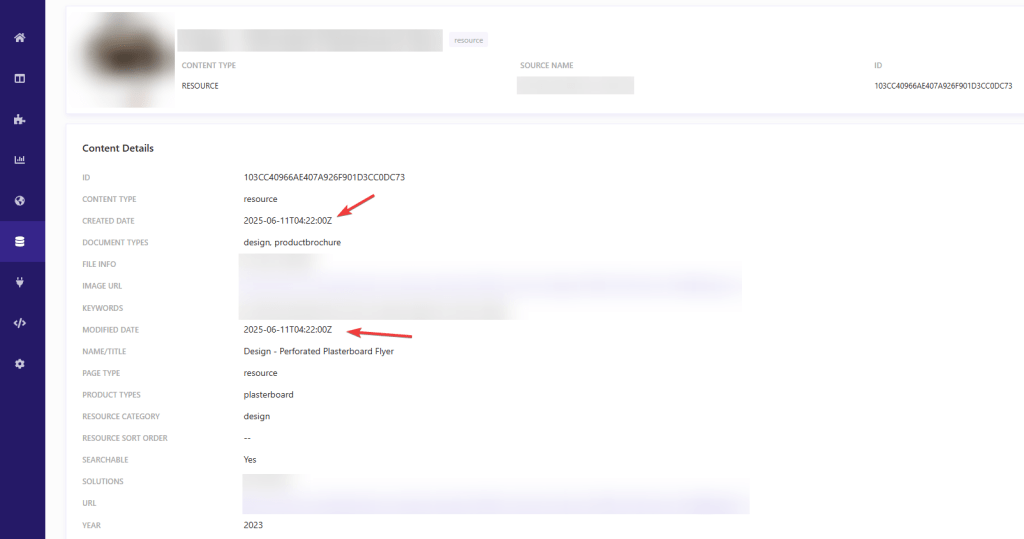
In Sitecore Search, dates are stored in the ISO 8601 format: yyyy-MM-dd'T'HH:mm:ssZ.
 Gopi's Blog